

What is CODShield AI? #
CODShield AI is a WooCommerce security plugin designed to reduce Cash on Delivery (COD) fraud by validating orders using automated risk checks, WhatsApp confirmations, and intelligent scoring logic.
The plugin helps store owners:
- Reduce fake COD orders
- Identify high-risk customers
- Confirm COD orders before fulfillment
- Improve delivery success rates
Key Benefits #
- 📉 Reduce COD return-to-origin (RTO)
- 🧠 Smart fraud risk scoring
- 📲 WhatsApp order confirmation
- ⚙️ Developer-friendly APIs
- 📊 Admin dashboard & widgets
Who Should Use This Plugin? #
- WooCommerce store owners
- COD-heavy eCommerce businesses
- Logistics-dependent stores
- Developers building COD validation flows
Installation & Requirements #
Requirements #
- WordPress 6.0+
- WooCommerce (required)
- PHP 7.4 or higher
- cURL enabled
- HTTPS recommended
Installation Steps #
- Download the plugin ZIP file
- Go to WordPress Admin → Plugins → Add New
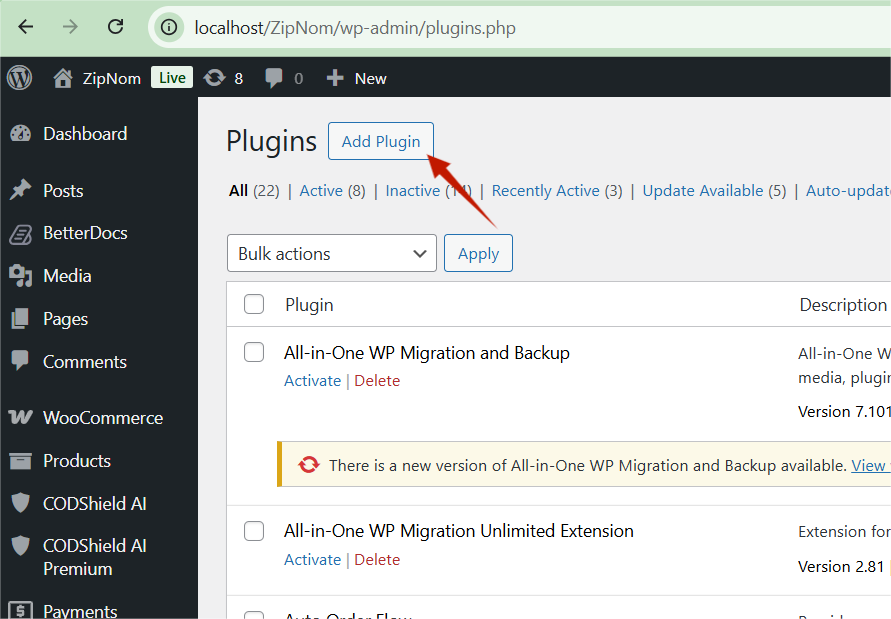
- Click Upload Plugin
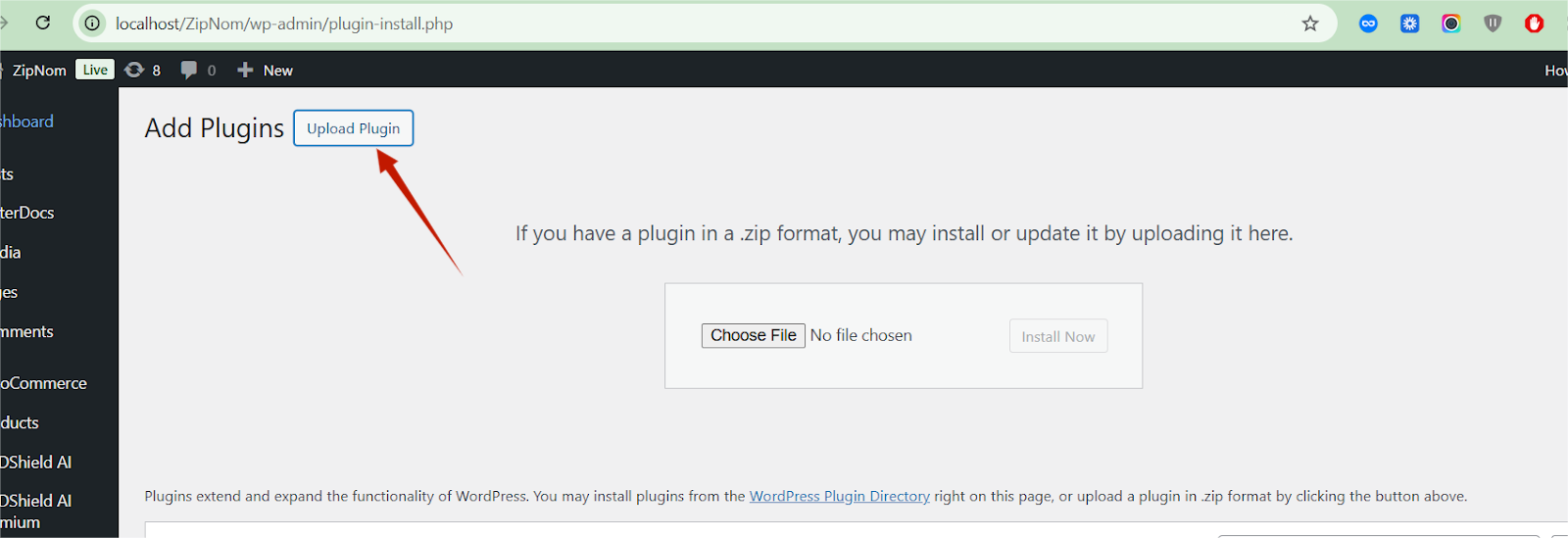
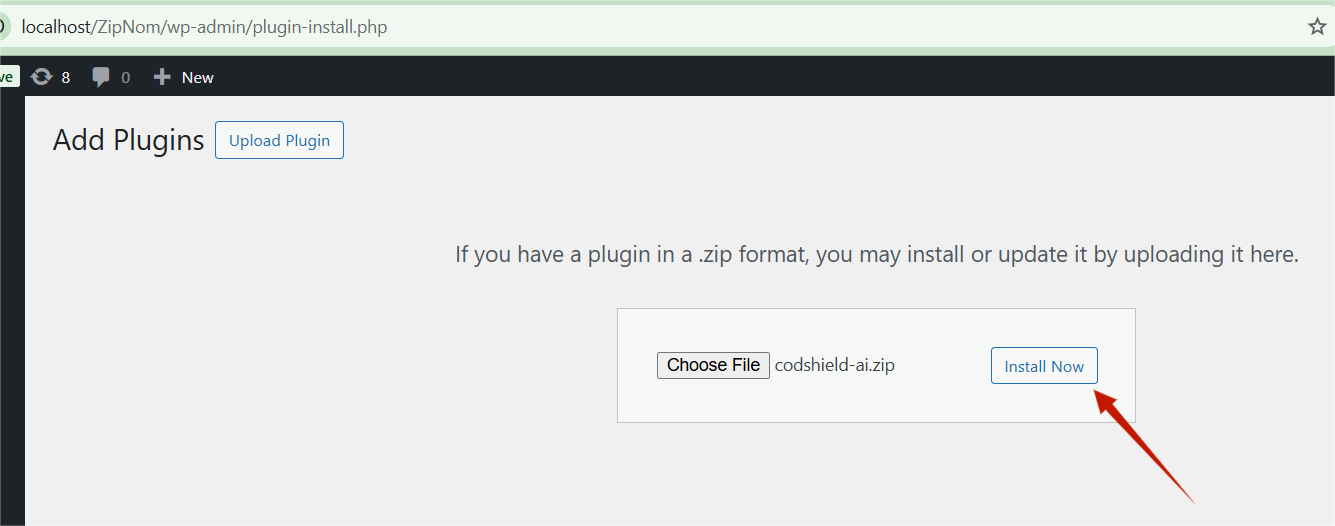
- Upload codshield-ai.zip
- Click Install Now
- Activate the plugin
After Activation #
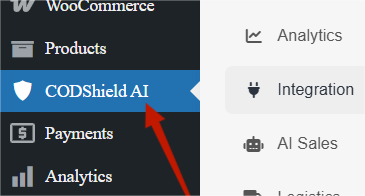
- A new menu CODShield AI appears in the WordPress admin sidebar
- Dashboard widgets become active
- Plugin APIs are registered automatically
Admin Dashboard Overview #
Dashboard Access #
WordPress Admin → CODShield AI
Dashboard Components #
🔹 Fraud Score Widget #
- Displays COD order risk levels
- Categorized as:
- Low Risk
- Medium Risk
- High Risk
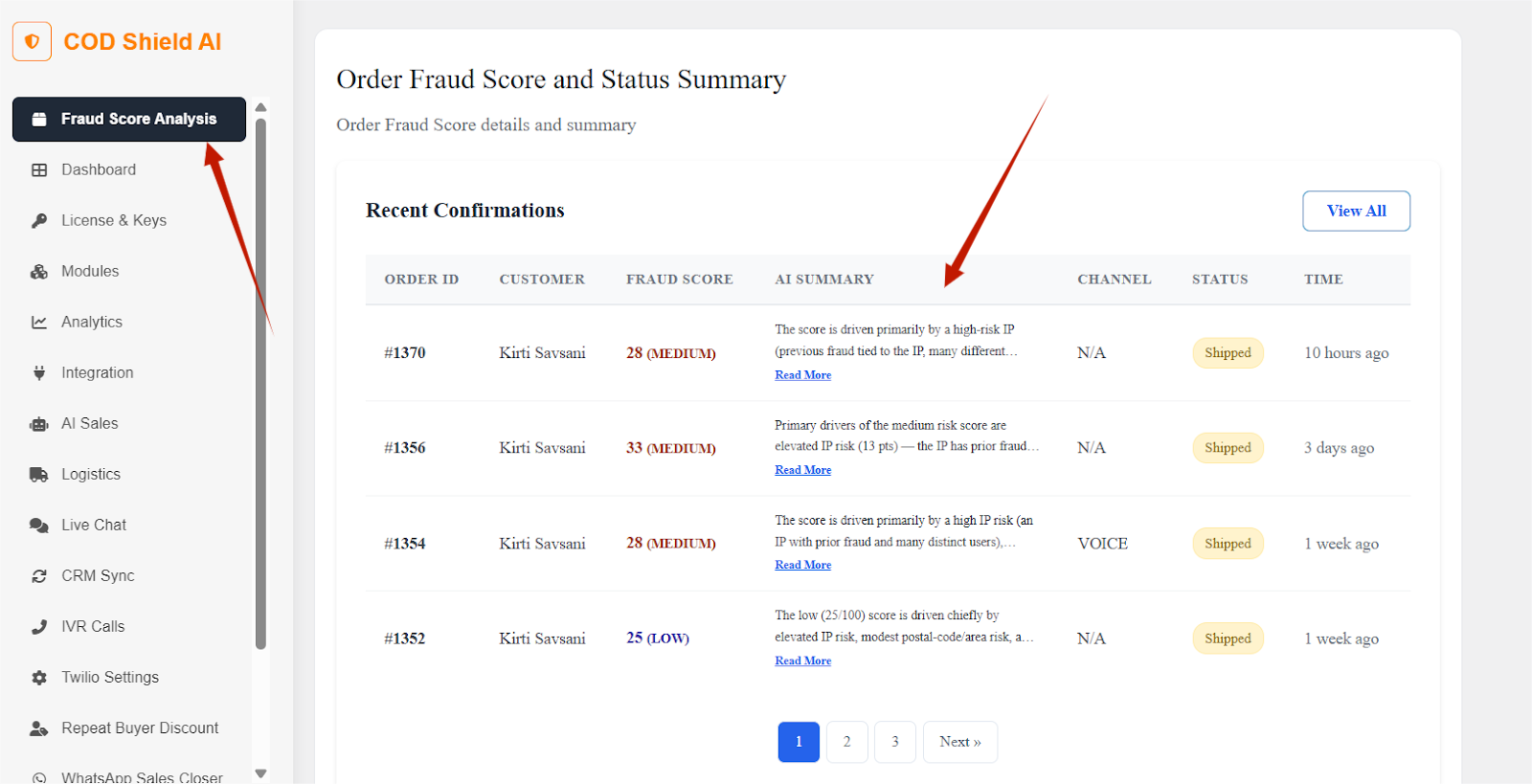
🔹 Order Validation Summary #
- Total COD orders checked
- Confirmed vs flagged orders
🔹 Quick Actions #
- Access fraud logs
- Navigate to API settings
- View WhatsApp confirmation status
Viewing Fraud Insights on Orders #
CODShield AI seamlessly integrates with the native WooCommerce “Edit Order” screen, providing real-time risk assessments directly where you manage your shipments.
1. Fraud Score Meta Box #
On the right-hand sidebar of the Edit Order page, you will find the CODShield AI Risk Score box.
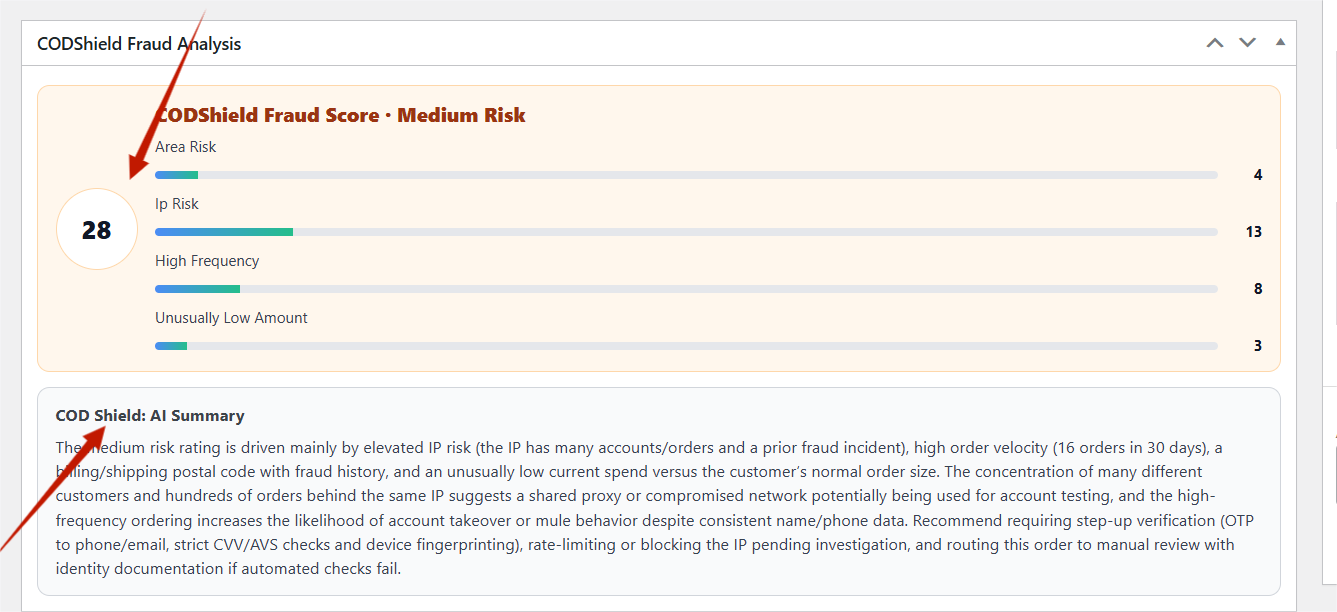
- Visual Indicator: A color-coded badge (Green for Low, Yellow for Medium, Red for High).
- Numerical Score: The precise calculated risk percentage.
- Validation Status: Shows if the phone number or order pattern passed initial checks.
2. Order AI Summary #
Located within the main order details area or as a dedicated tab, the AI Summary provides a human-readable explanation of the risk.
- Why this score? Insights such as “First-time customer with high-value order” or “Multiple failed delivery attempts in this zip code.”
- Recommendation: A clear call to action, such as “Proceed to Fulfillment” or “Wait for WhatsApp Confirmation.”
Steps to View #
- Navigate to WooCommerce → Orders.
- Click on a specific Order Number to enter the Edit Order screen.
- Look for the CODShield AI meta box.
- Review the AI Summary located below the Billing/Shipping details to decide on fulfillment.
COD Fraud Risk Scoring #
How Fraud Scoring Works #
CODShield AI evaluates each COD order using internal logic:
Factors Used #
- Phone number pattern validation
- Order frequency
- Basic behavioral rules
- Mock authentication (Lite mode)
Risk Levels #
| Score | Risk Level | Meaning |
| Low | Safe | Order can be processed |
| Medium | Review | Manual check recommended |
| High | Risky | Confirmation required |
Where Scores Are Used #
- Admin dashboard widget
- Order details screen
- API responses
WhatsApp Order Confirmation #
Feature Overview #
CODShield AI sends WhatsApp confirmation requests to COD customers to verify order intent before shipping.
How It Works #
- COD order is placed
- Plugin triggers WhatsApp confirmation logic
- Customer confirms order
- Order status updates automatically
Supported Scenarios #
- High-risk COD orders
- Manual verification
- API-triggered confirmations
Important Notes #
- Requires WhatsApp provider integration
- Message templates must be approved (provider-side)
Manual Fraud Reporting #
Reporting Suspicious Orders #
While CODShield AI automates most risk checks, merchants can manually report specific orders to refine the fraud scoring logic and blacklist bad actors.
How to Report an Order #
- Open any order in WooCommerce → Orders.
- Locate the Report COD Fraud meta box on the right-hand sidebar.
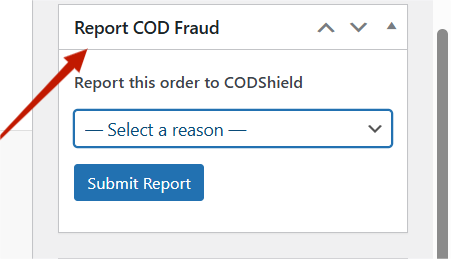
- Select the most accurate reason from the dropdown menu.
- Click Report to CODShield to sync this data with your fraud logs.
1. Available Reporting Reasons #
Merchants can manually flag suspicious orders using the following reasons to help the AI improve fraud detection:
- Customer Identity: * Blacklisted Customer (Previous Fraud): Flagging a known bad actor.
- Fake Contact Number: Verification failed or non-existent number.
- Customer Claiming Order Not Placed: Disputes regarding the order’s origin.
- Technical & Security Red Flags: * Order Placed from Proxy IP / VPN: Potential location masking.
- Duplicate / Fake Order: Multiple identical orders or bot-like behavior.
- Fraudulent Use of Coupon / Offer: Exploiting discount codes.
- Behavioral & Order Value Issues: * Suspicious Bulk Order: Unusually large quantities.
- Suspicious Order Value (Too High / Low): Deviation from typical purchase patterns.
- Order Cancelled After Dispatch: High-risk behavior resulting in logistical loss.
- Logistics & Delivery Failures: * Multiple Failed Delivery Attempts: Recurring issues with reaching the customer.
- Customer Unavailable at Delivery: Repeated no-shows.
- Customer Refused Delivery Without Reason: Intentional rejection of shipment.
- Customer Denied to Pay: Specifically for Cash on Delivery (COD) scenarios.
- Payment Delay / Not Ready with Cash: Financial friction at the doorstep.
- Address & Service Area Issues: * High-Risk Pincode / Location: Areas with high RTO (Return to Origin) rates.
- Delivery Address Outside Service Area: Pincode not covered by active couriers.
- Wrong Address Provided: Incomplete or incorrect shipping details.
- Other: * Order Placed by Mistake: Accidental customer errors.
- Other (provided by the store owner): Custom field for unique scenarios.
File & Folder Structure #
Plugin Structure #
codshield-ai/
│
├── codshield-ai.php
├── includes/
│ ├── admin-dashboard.php
│ ├── admin-fraud-score.php
│ ├── admin-fraud-widget.php
│ ├── api.php
│ ├── auth-mock.php
│ └── class-codshield-whatsapp-confirmation.php
│
├── assets/
│ ├── css/
│ ├── js/
│ └── images/


