

Overview #
CODShield AI Premium – IVR Calls is a comprehensive WooCommerce automation suite that orchestrates customer order confirmation through WhatsApp messages and IVR (Interactive Voice Response) calls. The plugin integrates with Twilio for WhatsApp messaging and CODShield’s API for IVR call automation.
Key Features #
1. IVR Auto Order Flow #
- Automatic WhatsApp confirmation messages post-checkout
- IVR call initiation based on customer response
- Configurable flow sequence (WhatsApp-first or IVR-first)
- Status polling for IVR confirmation tracking
2. Auto Order Flow Configuration #
- Visual flow selection interface
- Two sequence options:
- WhatsApp → IVR
- IVR → WhatsApp
3. IVR Order Call Tools #
- Manual IVR call scheduling for specific orders
- 15-minute delayed execution
- Comprehensive logging system
Installation & Setup #
Installation Steps #
- Upload codshield-ivr-calls folder to /wp-content/plugins/
- Activate the plugin through WordPress admin
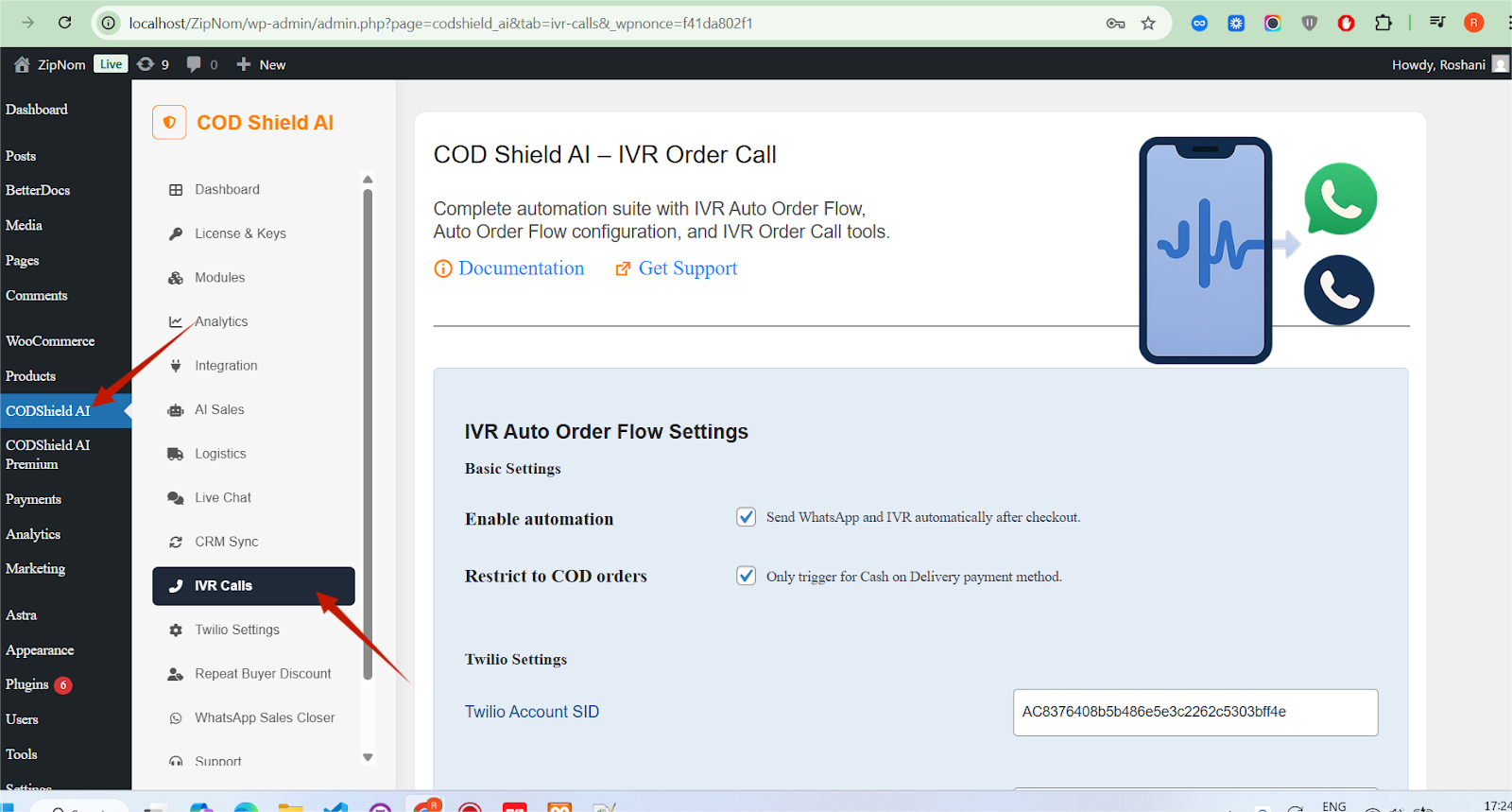
- Navigate to CODShield AI Premium → IVR Order Call
- Configure all required settings
Configuration Settings #
Section 1: IVR Auto Order Flow Settings #
Basic Settings #
| Setting | Description | Example Value |
| Enable automation | Toggle to activate WhatsApp/IVR automation | ☑️ Enabled |
| Restrict to COD orders | Only trigger for Cash on Delivery orders | ☑️ Enabled |
Twilio Settings #
| Setting | Description | Required |
| Twilio Account SID | From Twilio Console Dashboard | ✅ Yes |
| Twilio Auth Token | From Twilio Console Dashboard | ✅ Yes |
| WhatsApp From Number | Twilio WhatsApp-enabled number (E.164 format) | ✅ Yes |
| IVR Caller ID | Twilio phone number for IVR calls | ✅ Yes |
| IVR TwiML URL | Twilio webhook URL for call handling | ✅ Yes |
| WhatsApp Message Template | Customizable message with placeholders | ✅ Yes |
Available Template Variables:
- {customer_name} – Customer’s full name
- {order_id} – Order number
- {order_total} – Raw order total
- {order_total_formatted} – Formatted order total
- {store_name} – Store name from WordPress
- {customer_phone} – Customer phone number
- {previous_step_status} – Status of previous step
IVR Status Polling Settings #
| Setting | Description | Default |
| Status API Endpoint | CODShield status check URL | – |
| License Key | CODShield license key | – |
| Store ID | CODShield store identifier | – |
| Store URL | Your store’s base URL | Site URL |
| Registered Email | Admin email for notifications | Admin email |
| Retry Interval (seconds) | Time between status checks | 10 |
| Maximum Attempts | Max status polling attempts | 60 |
| Verify SSL Certificates | Enable SSL verification for API calls | ❌ Disabled |
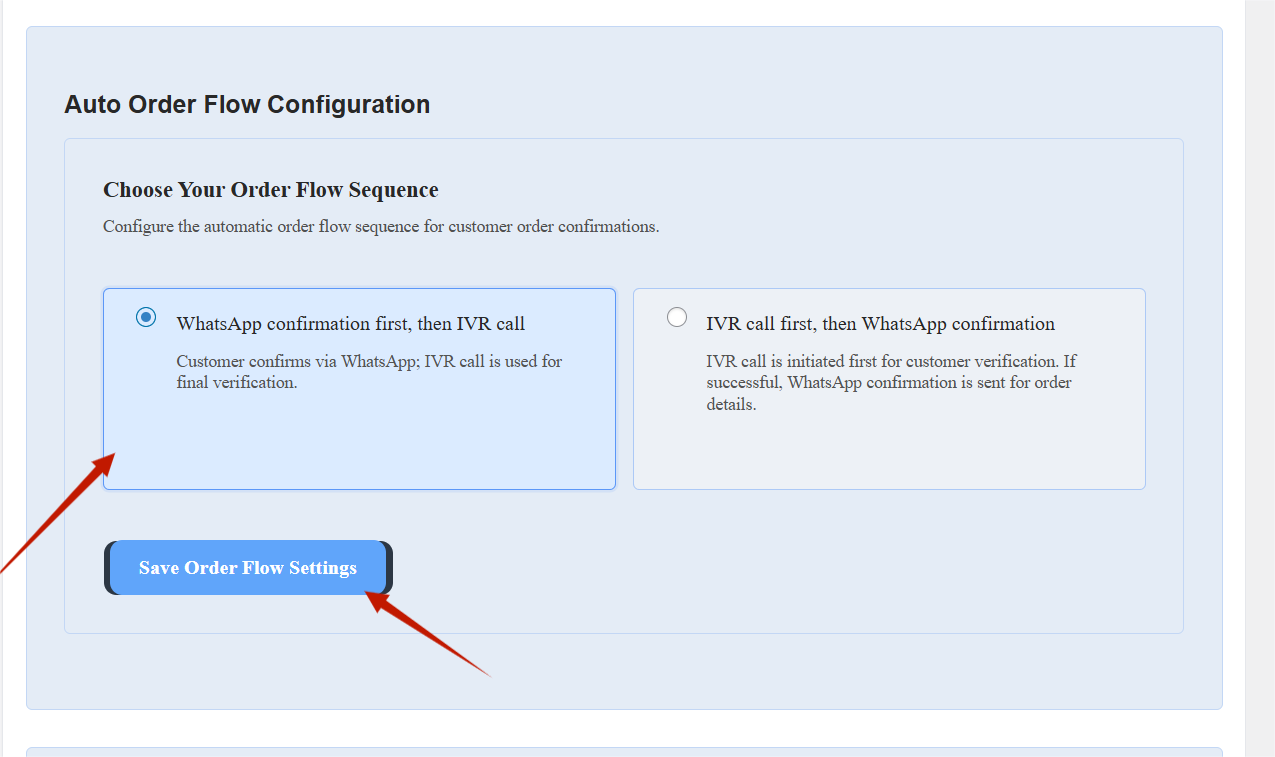
Section 2: Auto Order Flow Configuration #
Flow Options #
| Option | Sequence | Best For |
| WhatsApp first, then IVR | WhatsApp → Customer Response → IVR (if needed) | Standard confirmation flow |
| IVR first, then WhatsApp | IVR → WhatsApp confirmation | High-risk orders verification |
Visual Selection Interface:
- Two option cards with radio buttons
- Hover effects and selection states
- Save button with gradient styling
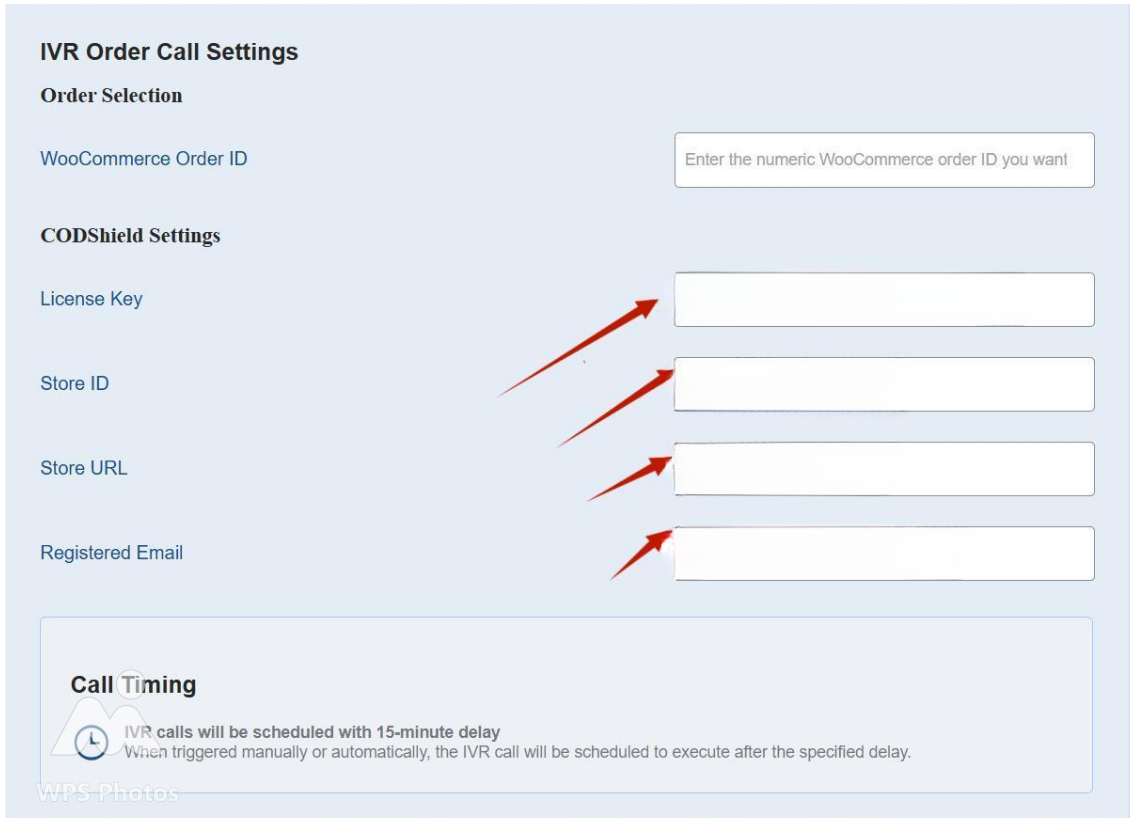
Section 3: IVR Order Call Settings #
Order Selection #
| Field | Description | Format |
| WooCommerce Order ID | Manual order ID for IVR call | Numeric |
CODShield Settings #
| Setting | Description | Required |
| License Key | CODShield API license | ✅ Yes |
| Store ID | CODShield store identifier | ✅ Yes |
| Store URL | Your store’s URL | ✅ Yes |
| Registered Email | Contact email | ✅ Yes |
Call Timing #
- Default Delay: 15 minutes
- Schedule: Single event via WordPress Cron
- Execution: zioc_schedule_ivr_call hook
Log Files #
- Order Creation Log: /wp-content/uploads/iaof-logs/create-order.log
- IVR Call Log: /wp-content/uploads/iaof-logs/ivr-call.log
Workflow Processes #
Flow 1: WhatsApp → IVR (Default) #
- Customer places order
- WhatsApp confirmation sent immediately
- Customer clicks:
– CONFIRM → Order status → Processing
– CANCEL → IVR call initiated
- If no response → IVR call after delay
- IVR status polling begins
- Final status updates order
Flow 2: IVR → WhatsApp #
- Customer places order
- IVR call initiated immediately
- If IVR successful → WhatsApp confirmation sent
- If IVR fails → Retry or manual handling
Status Polling Logic #
Max Attempts: 60
Interval: 10 seconds
Total Monitoring: 10 minutes
Statuses: PENDING → CONFIRMED/REJECTED


