

Purpose #
CODShield Logistics Hub enables WooCommerce store owners to manage domestic and international logistics from a single system and allows customers to select logistics/courier services directly on the Cart and Checkout pages using dropdowns.
The plugin intelligently displays logistics services based on:
- Customer shipping address
- Enabled logistics providers
- Store configuration
Core Functionality #
1. Unified Logistics Management #
The plugin provides a single logistics hub that supports:
- Shiprocket → Domestic shipping (India)
- FedEx → International shipping
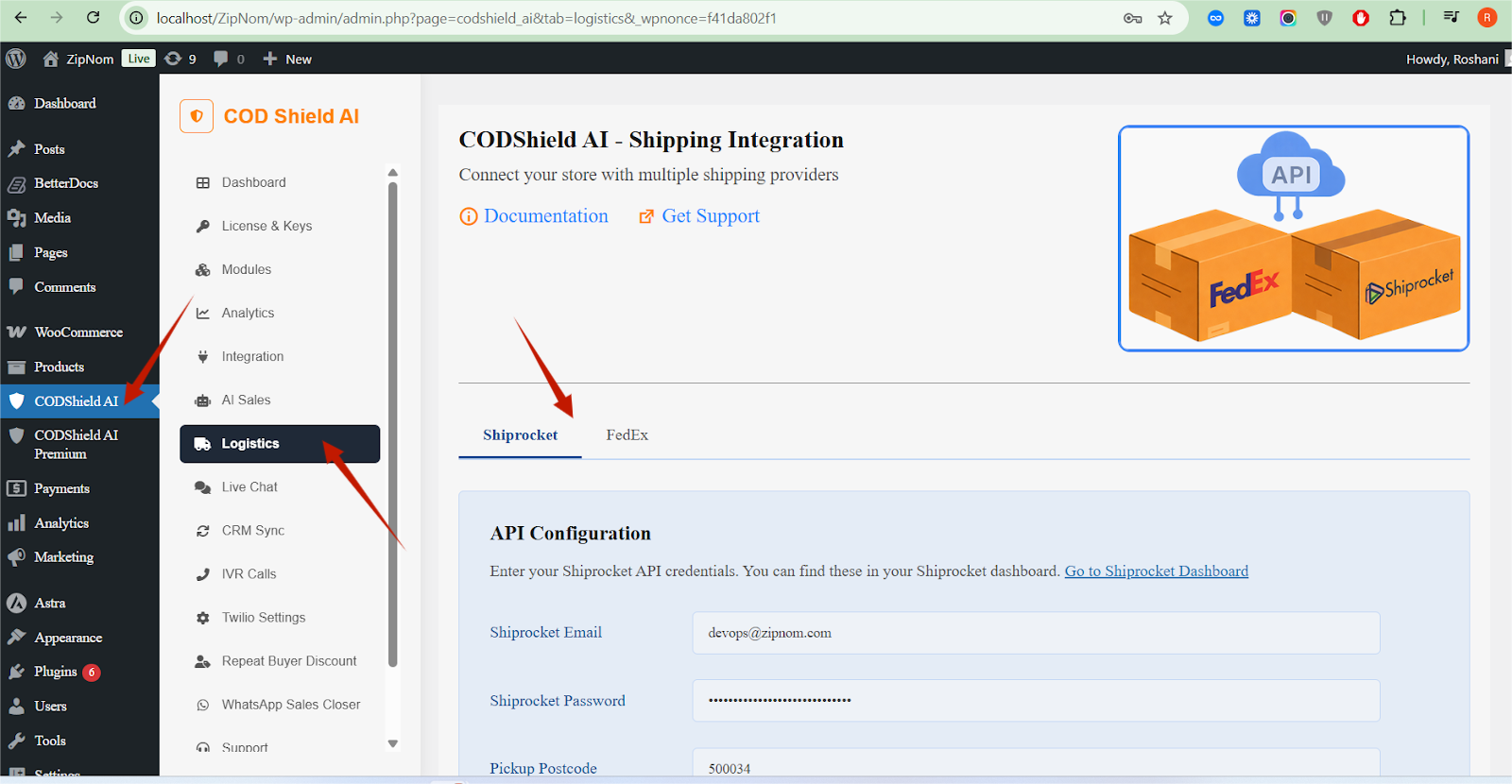
Store owners can:
- Enable or disable each logistics provider independently
- Control which services appear to customers
- Offer courier selection at checkout
2. Dynamic Logistics Selection on Cart & Checkout #
When a customer adds products to the cart and proceeds to checkout:
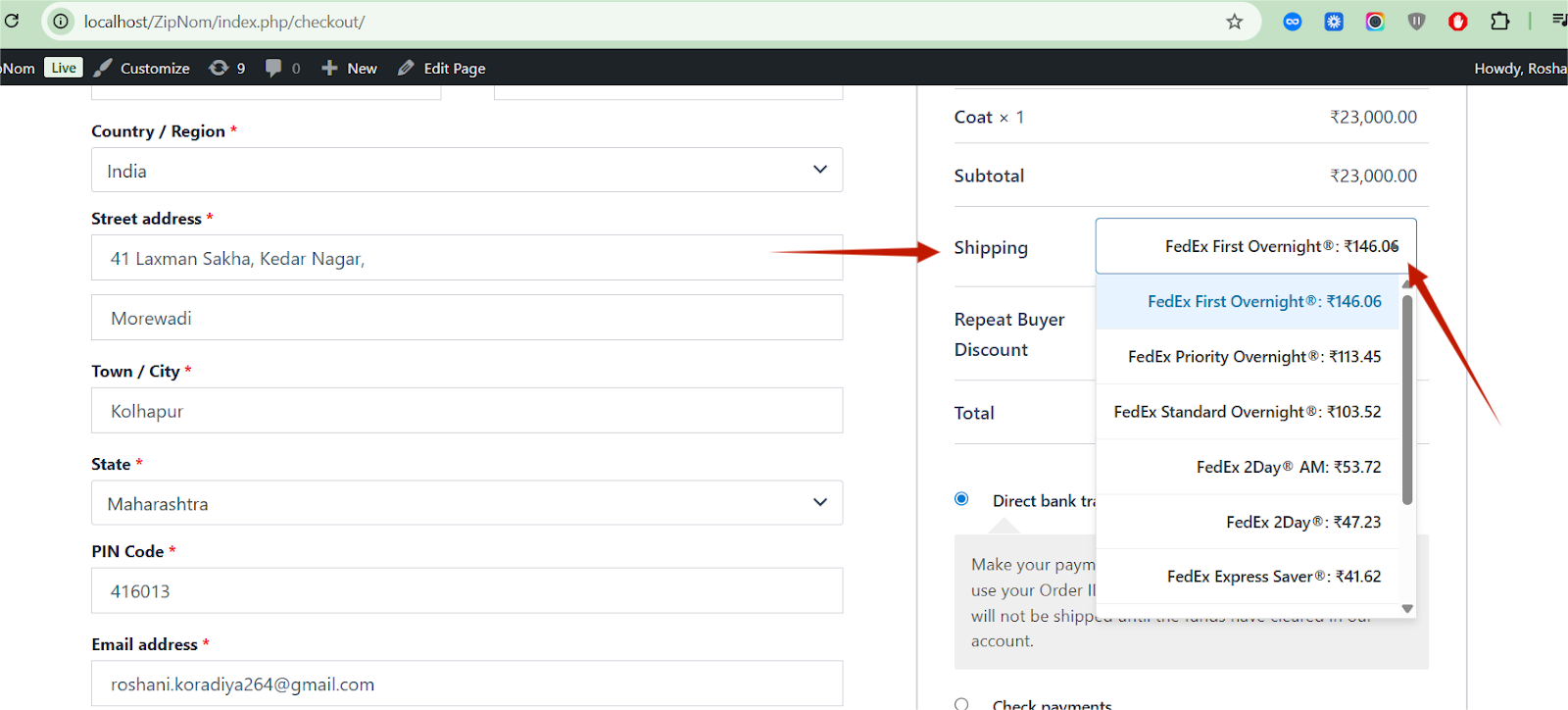
What happens automatically: #
- The plugin detects the shipping destination
- Determines whether the order is:
- Domestic (India)
- International
- Loads the appropriate logistics provider
- Displays available courier/shipping services in a dropdown
Customer Experience: #
- A logistics service dropdown appears on:
- Cart page
- Checkout page
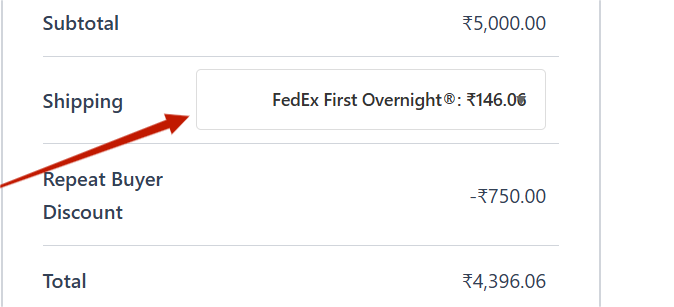
- Customer selects their preferred courier/service
- Selection updates shipping cost and order details
3. Domestic Shipping (Shiprocket) #
When Shiprocket is used: #
- Shipping address is within India
- Shiprocket is enabled in admin settings
What customers see: #
- A dropdown showing available Shiprocket courier services
- Courier options may vary based on:
- Pincode
- Weight
- Cart value
Example options: #
- Delhivery
- Blue Dart
- Ecom Express
- Xpressbees
(actual list depends on Shiprocket API response)
Benefits: #
- Customers can choose faster or cheaper courier
- Reduces RTO and delivery disputes
- Improves transparency at checkout
4. International Shipping (FedEx) #
When FedEx is used: #
- Shipping address is outside India
- FedEx is enabled in admin settings
What customers see: #
- FedEx shipping services in a dropdown
- Services are shown dynamically based on destination country
Example services: #
- FedEx International Priority
- FedEx International Economy
Admin Settings (Detailed) #
Where to Find Settings #
WordPress Admin Dashboard→ CODShiled AI →Logistics (or inside CODShield AI tabs)
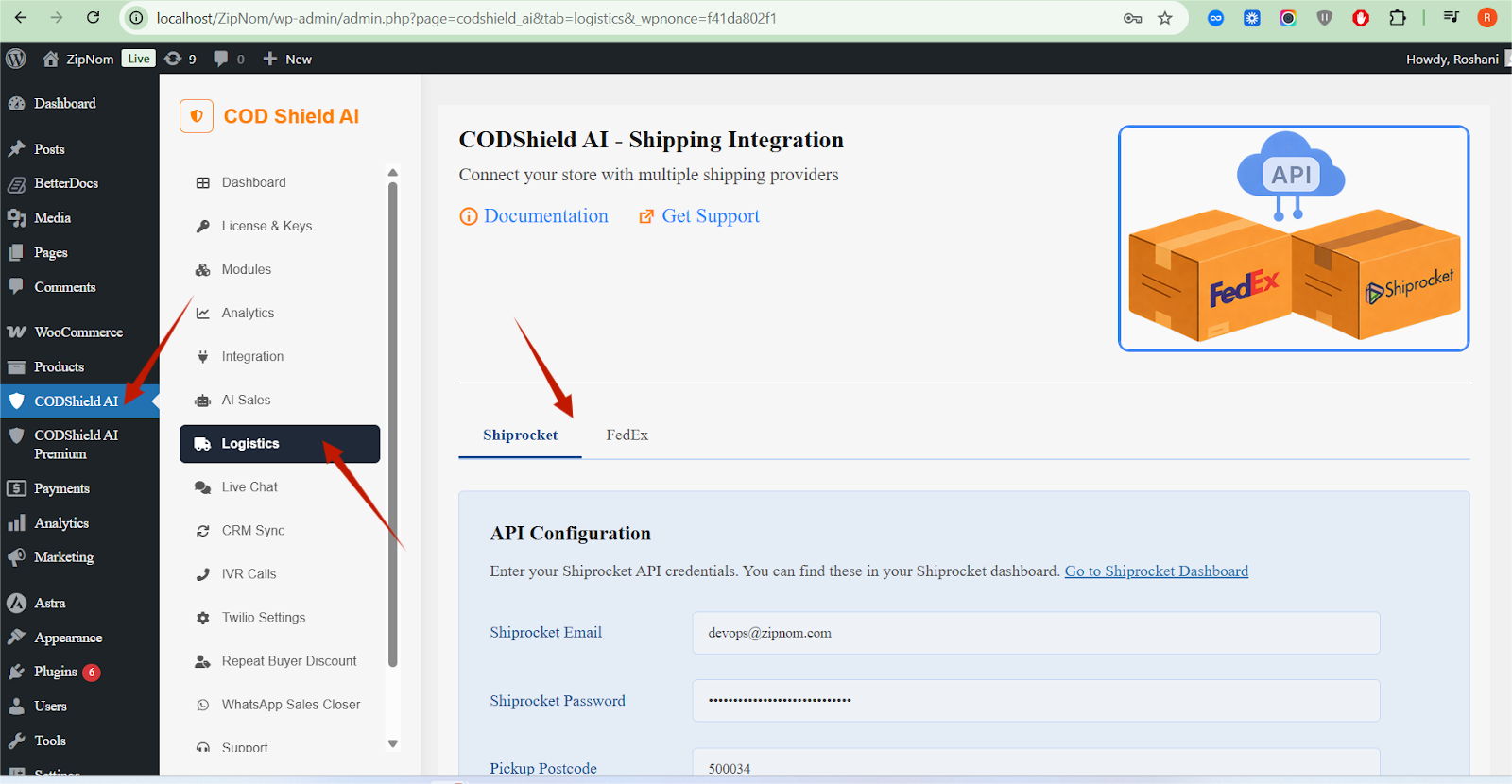
Shiprocket Settings (Domestic) #
Enable Shiprocket #
- Toggle to activate or deactivate Shiprocket logistics
- If disabled, Shiprocket will not appear on checkout
Shiprocket API Credentials #
Required to fetch courier services and rates.
- API Key
- API Secret
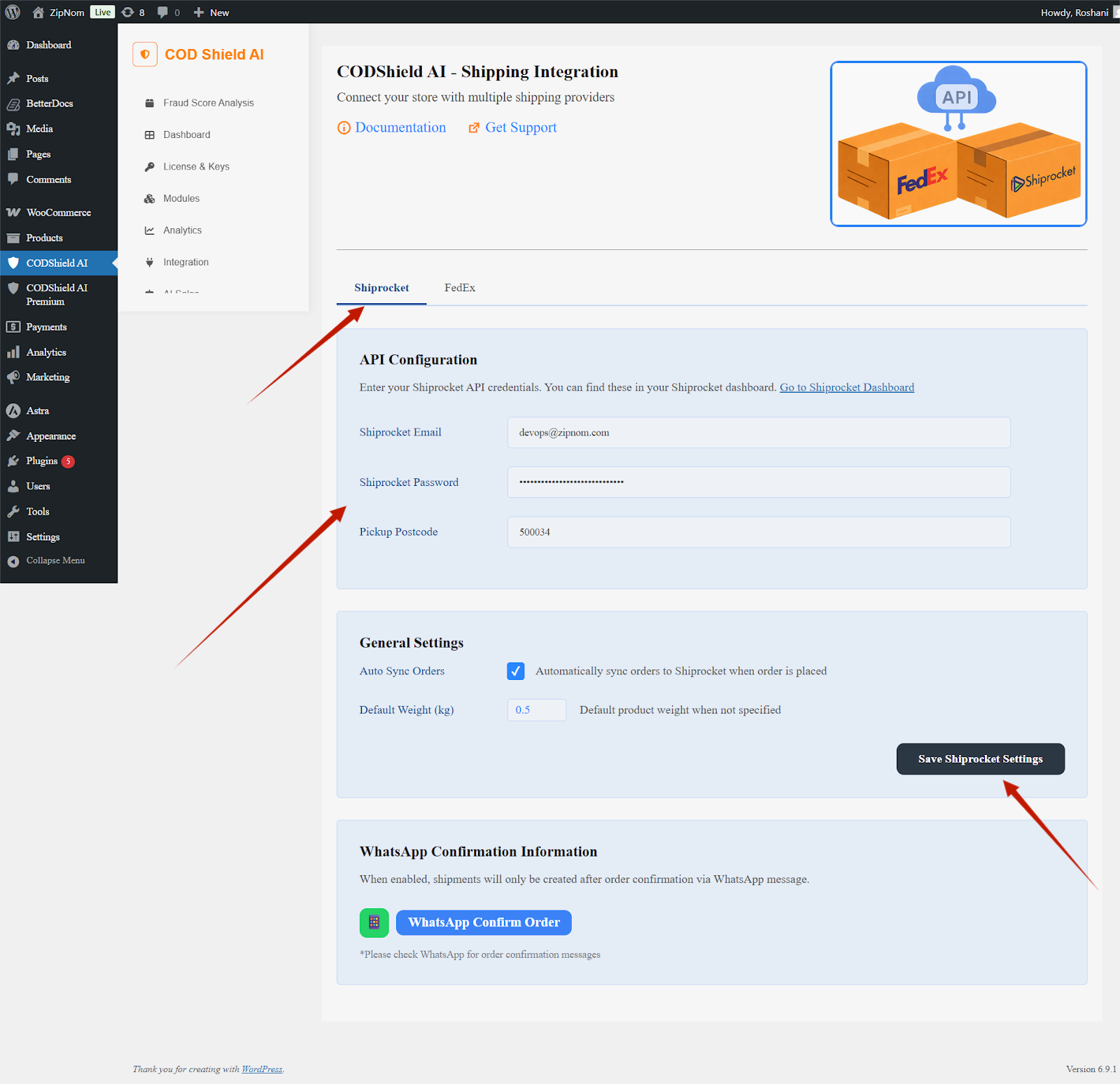
Without valid credentials, courier dropdown will not load.
Pickup Location #
- Select or enter Shiprocket pickup address
- Used for rate calculation and courier availability
Default Courier (Optional) #
- Pre-selects a courier automatically
- Customers can still change it from dropdown
Service Visibility Control #
- Only enabled couriers appear in dropdown
- Prevents showing unavailable or undesired couriers
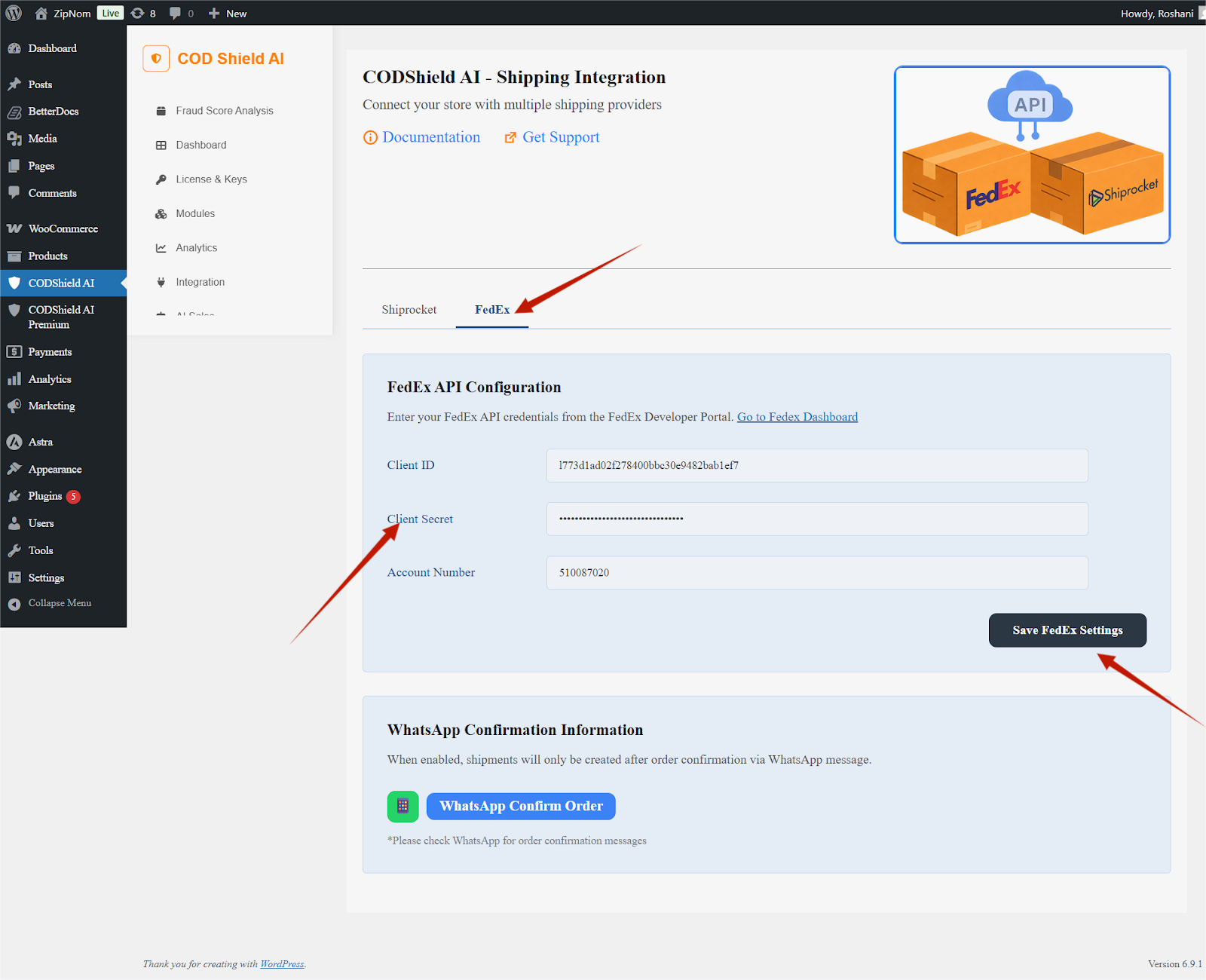
FedEx Settings (International) #
Enable FedEx #
- Activates FedEx shipping for international orders
FedEx Account Credentials #
- Required for live rate calculation
- Ensures accurate shipping costs
Default International Service #
- Allows store owner to set preferred FedEx service
- Customer can override at checkout
Enable Shipping Zones in WooCommerce #
Navigate to:
WordPress Admin → WooCommerce → Settings → Shipping
Shipping Zones #
- Create or edit a Shipping Zone
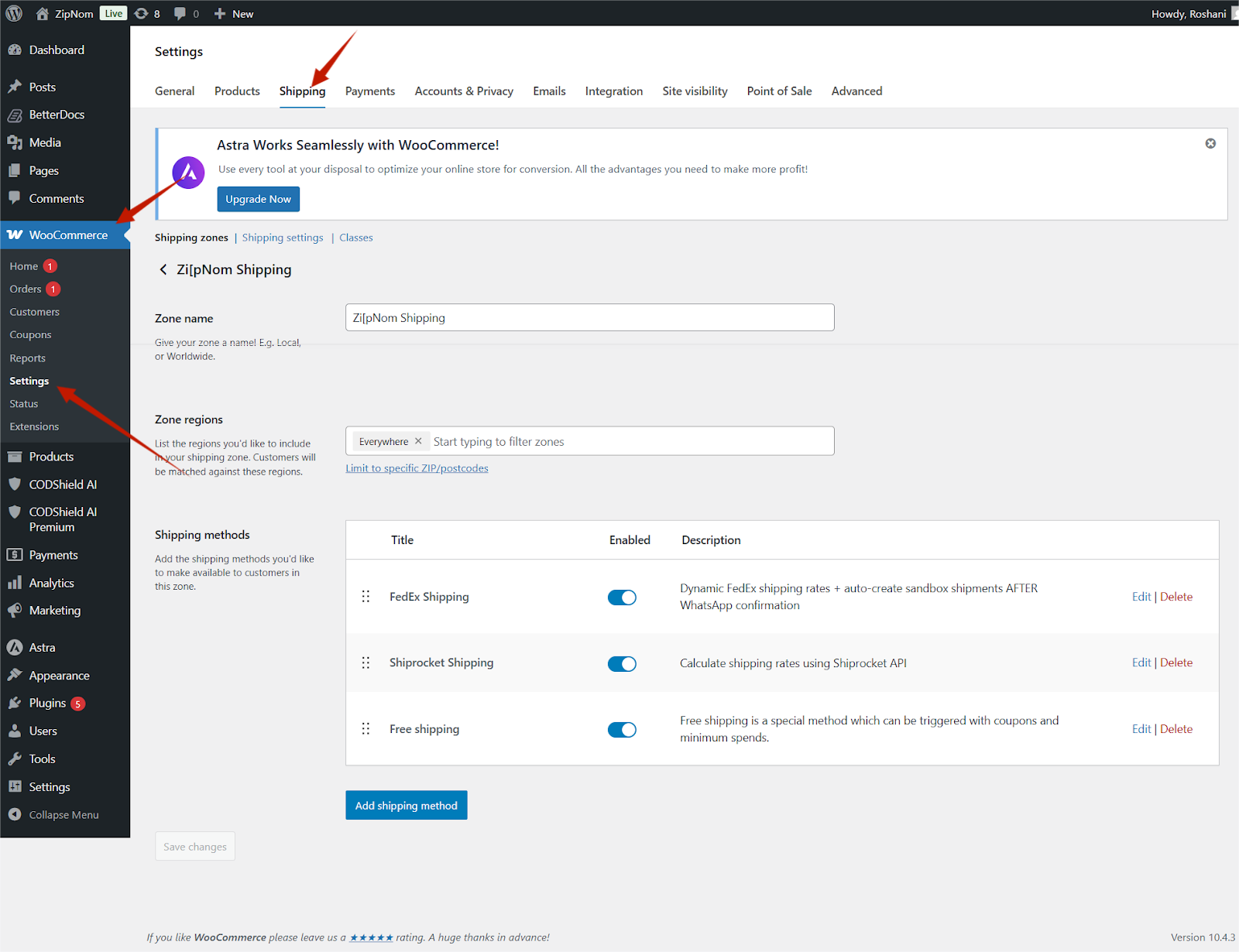
- Examples:
- India (for Shiprocket)
- International (for FedEx)
Add CODShield Logistics Shipping Method #
Inside the selected Shipping Zone:
- Click Add Shipping Method
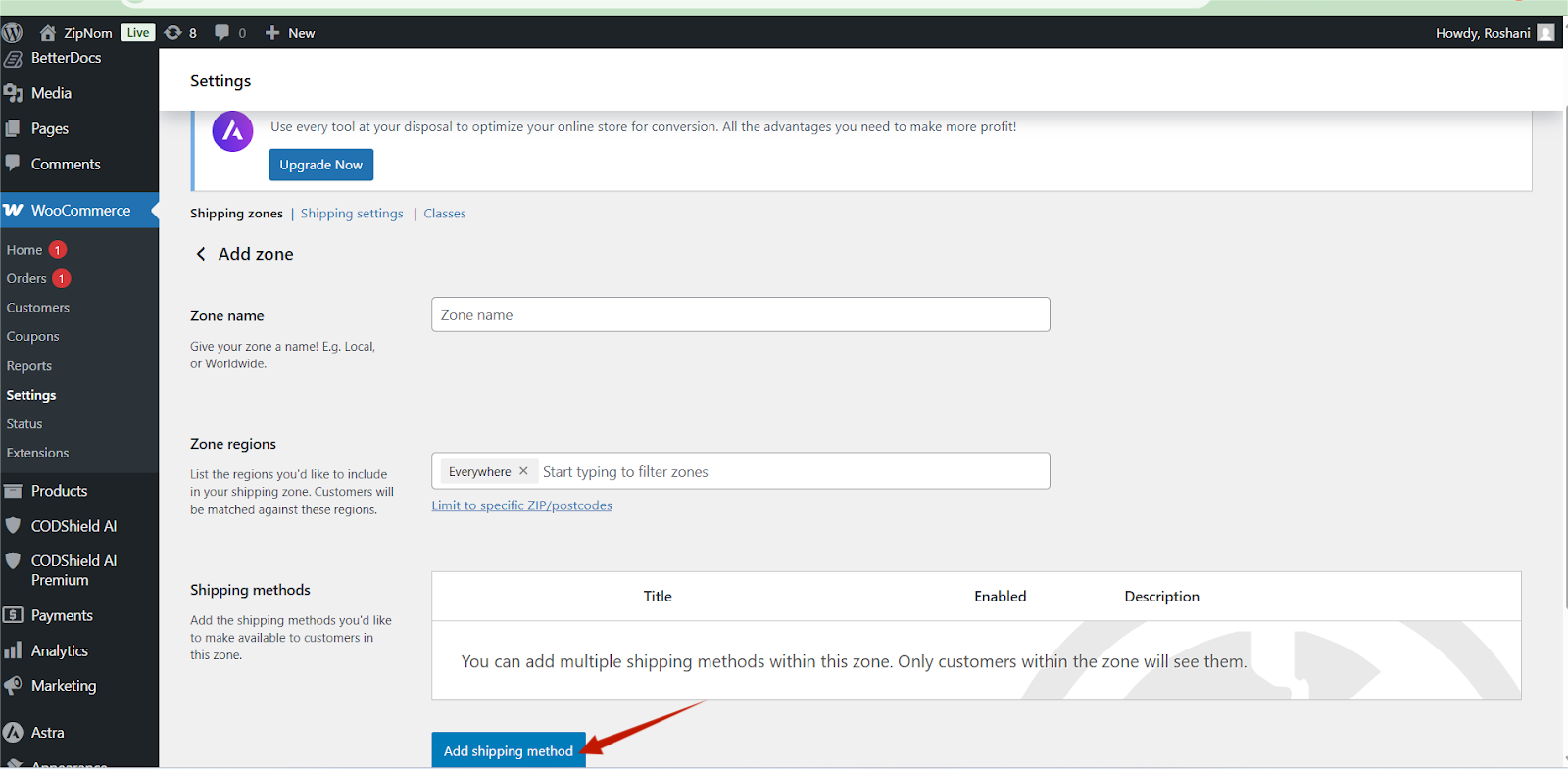
Select:
-
- CODShield Shiprocket Logistics (for domestic)
- CODShield FedEx Logistics (for international)
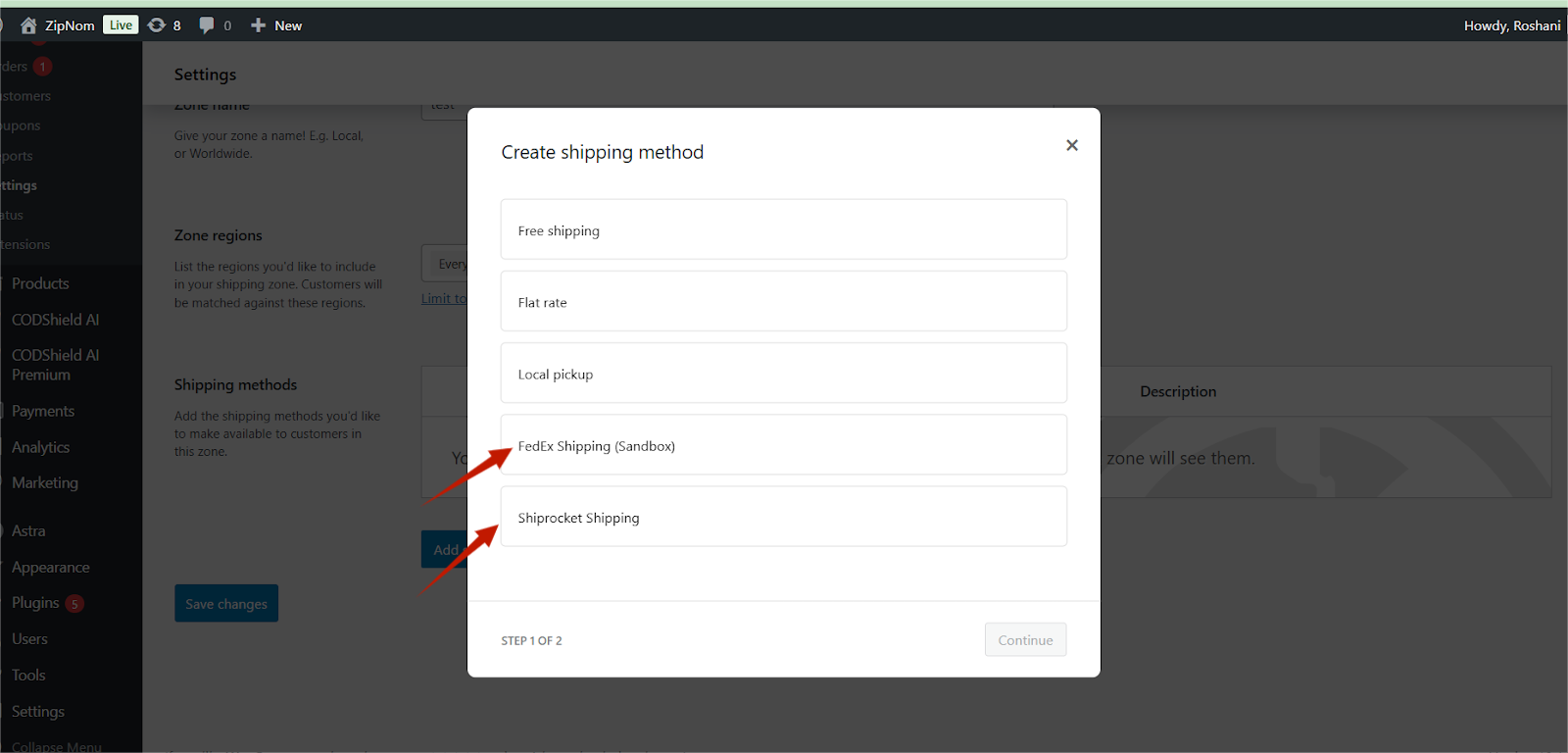
Click Add Shipping Method
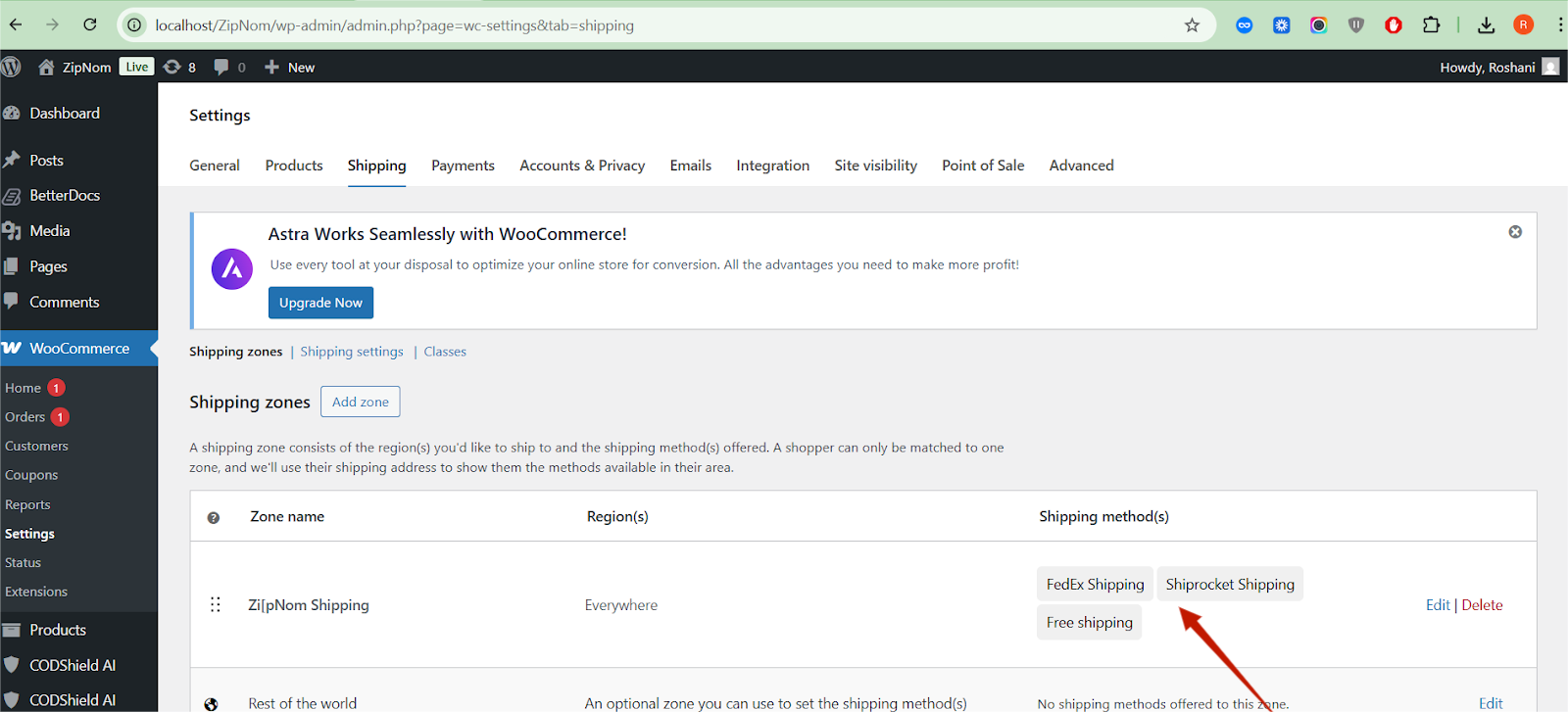
Save changes
If the method is not added to the zone, logistics dropdown will not appear on checkout.
Enable the Shipping Method #
- Click the added shipping method
- Ensure “Enable this shipping method” is checked
- Configure method-level options if available
- Save settings
Checkout Page – Logistics Dropdown (Detailed) #
How the Dropdown Works #
- Appears automatically when:
- Cart has shippable products
- Relevant logistics provider is enabled
- Updates in real-time when:
- Address changes
- Courier selection changes
Data Stored with Order #
- Selected logistics provider
- Selected courier/service name
- Shipping cost
This information is visible in:
- WooCommerce order admin
- Order confirmation
- Fulfillment workflow
Benefits for Store Owners #
- No manual courier assignment
- Fewer COD disputes
- Better delivery transparency
- Improved customer trust
- Centralized logistics control
Benefits for Customers #
- Clear courier choices
- Transparent shipping cost
- Control over delivery speed
- Better checkout experience
Use Cases #
- COD-heavy WooCommerce stores
- Stores shipping both domestically and internationally
- Businesses wanting courier choice at checkout
- Stores using Shiprocket & FedEx together
Summary #
CODShield Logistics Hub transforms WooCommerce shipping by:
- Providing intelligent courier selection
- Supporting both domestic & international logistics
- Offering full admin control
- Enhancing checkout UX with dropdown-based selection
This plugin acts as a smart logistics layer between WooCommerce, Shiprocket, FedEx, and the customer.


